Build websites where you can see them
WebStudio is a desktop IDE made for the web: a real code editor next to a real browser, phone and tablet frames, Git, a terminal, and Reaver, an AI developer that edits your files and shows you every change before it lands.
- Free
- No sign-up
- Windows & macOS
- One-click updates
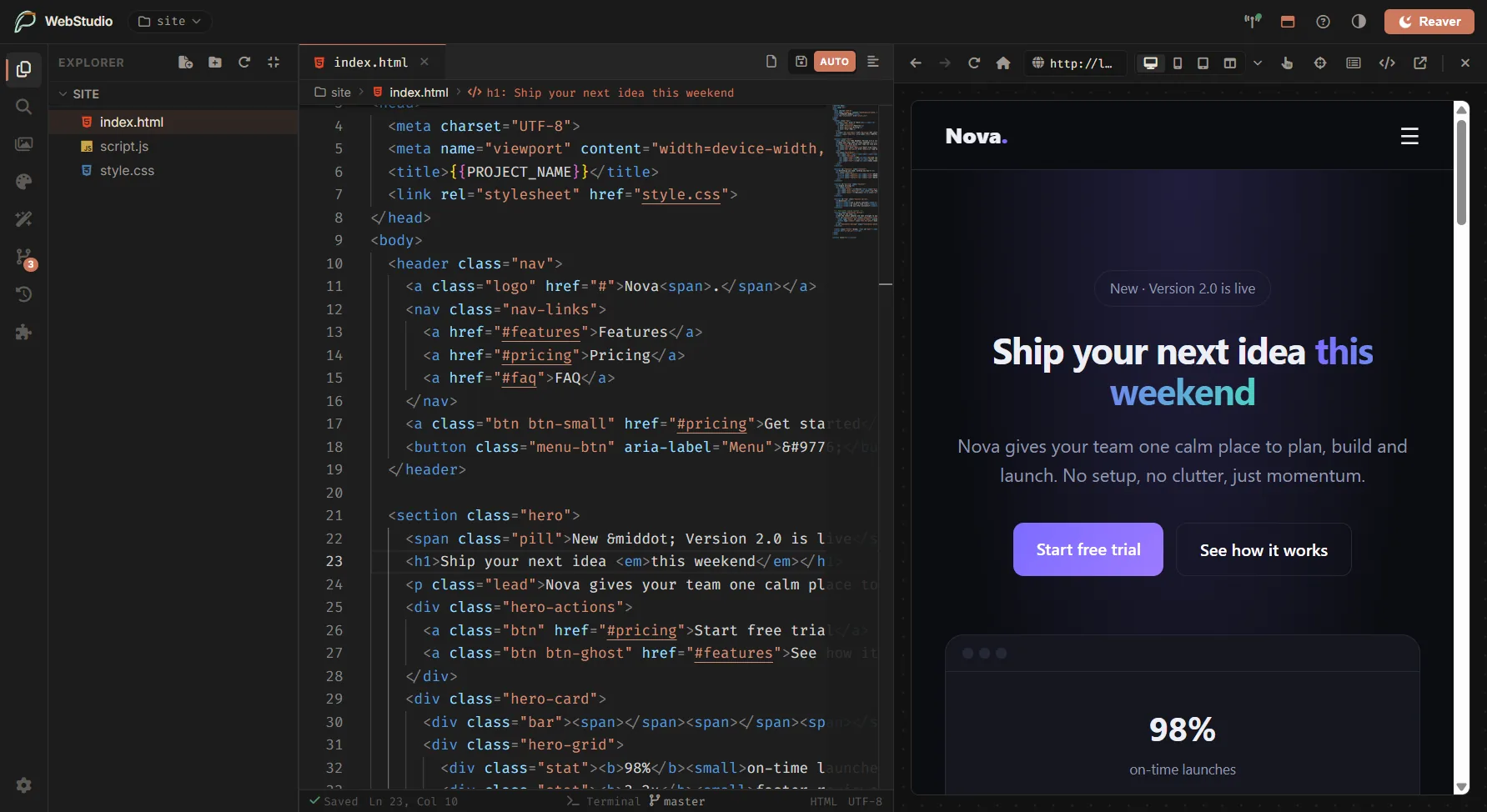
Code on the left. Your site on the right.
Every save shows up instantly in a real Chromium preview: links, scripts and all. No browser tab juggling, no refresh button.
Everything a website needs, nothing it doesn’t
Open a folder and start building. The tools you would normally stitch together are already here.
-
Live server for real apps
Not just static pages: React, Vite, Next.js, Vue, Svelte, Astro, Angular, Express, Django, Flask and PHP projects run live in the preview, with hot reload and a server log.
Ctrl+Alt+L -
A real code editor
The editor engine behind VS Code: IntelliSense, Emmet, HTML autocomplete for tags, attributes and meta values, multi-cursor, go to symbol, search & replace across files and split view.
Ctrl+P -
Visual edit
Drag elements around inside the preview and WebStudio rewrites the HTML for you. Click anything on the page to jump to its code.
Visual -
Git & terminal built in
Stage, commit, push and see diffs without leaving the editor. Run npm scripts from a real terminal with one click.
Ctrl+` -
Version history
Every save is a snapshot. Compare any earlier version side by side and restore it. Deleted files can be undone too.
Ctrl+Alt+H -
Colours & components
Generate palettes and drop them in as CSS variables, see every colour your site uses, and build 44 components visually: buttons, cards, forms, pricing tables, tabs, modals, hero sections and more.
Palette -
Share to your phone
Scan a QR code and your site opens on your phone over Wi-Fi, or create a public link to show it to anyone.
QR -
Templates & mods
Start from a landing page, blog, portfolio or dashboard. Extend the app itself with mods written in plain JavaScript.
Mods -
WebStudio AI, offline
An optional helper that knows the app inside out. Ask how to do something or tell it what to change, and it sets it up after you click “Do it”. Runs on your computer, no key needed, or on your own API key without the download. English only.
Optional -
Made to be comfortable
Dark, light and high-contrast themes (nine more with the free Theme Pack mod), readable fonts, remappable shortcuts, macOS or Windows animations and “Open with WebStudio” from Explorer and Finder.
F1
Make it yours with mods
Free add-ons made by OmniForge Studio. Download one, import it, and it shows up as its own panel in WebStudio.
-
SEO Doctor
Scores every page for Google and link previews: titles, descriptions, headings, alt text, viewport and Open Graph tags. Click a finding to jump to it; safe fixes are one click.
-
A11y Scanner
Accessibility audit of the page in your live preview: real colour contrast, missing alt text, unlabeled form fields, nameless buttons, heading order. Highlights each problem and jumps to the code.
-
Link Checker
Finds broken links, missing images and #anchors, plus capital-letter mismatches that work on Windows but break on web hosts. Can also check external URLs.
-
Unused CSS Finder
Lists class and id selectors that none of your HTML or JavaScript uses, shows how many bytes you would save, and comments out dead rules in one click.
-
Section Kit
10 ready-made, responsive and accessible sections (navbar, hero, pricing, FAQ, contact form…) with live previews. Insert adds the HTML and the CSS, using your colour palette.
-
Perf Budget
Weighs every page (HTML, CSS, JS, images, fonts) against your budget and points at heavy images, layout shift, render-blocking scripts and missing lazy-loading.
- Open the Mods panel (puzzle icon) in WebStudio
- Click Import a .wsmod pack and pick the file
- The mod appears in the sidebar, ready to use
Mods need WebStudio 1.1.2 or newer. Mods run with the same access as the app, so only install mods from people you trust.
An AI developer that shows its work
Describe what you want. Reaver reads your project, writes the code across files, and puts every change in front of you as a diff before anything is saved.
- Chat or Agent mode explain code, or build whole features
- Review every change accept, reject or revert each file
- Bring your own model Groq (has a free tier), OpenAI, Anthropic, Gemini, local Ollama…
- Your keys stay with you stored only on your PC and sent only to the provider you picked
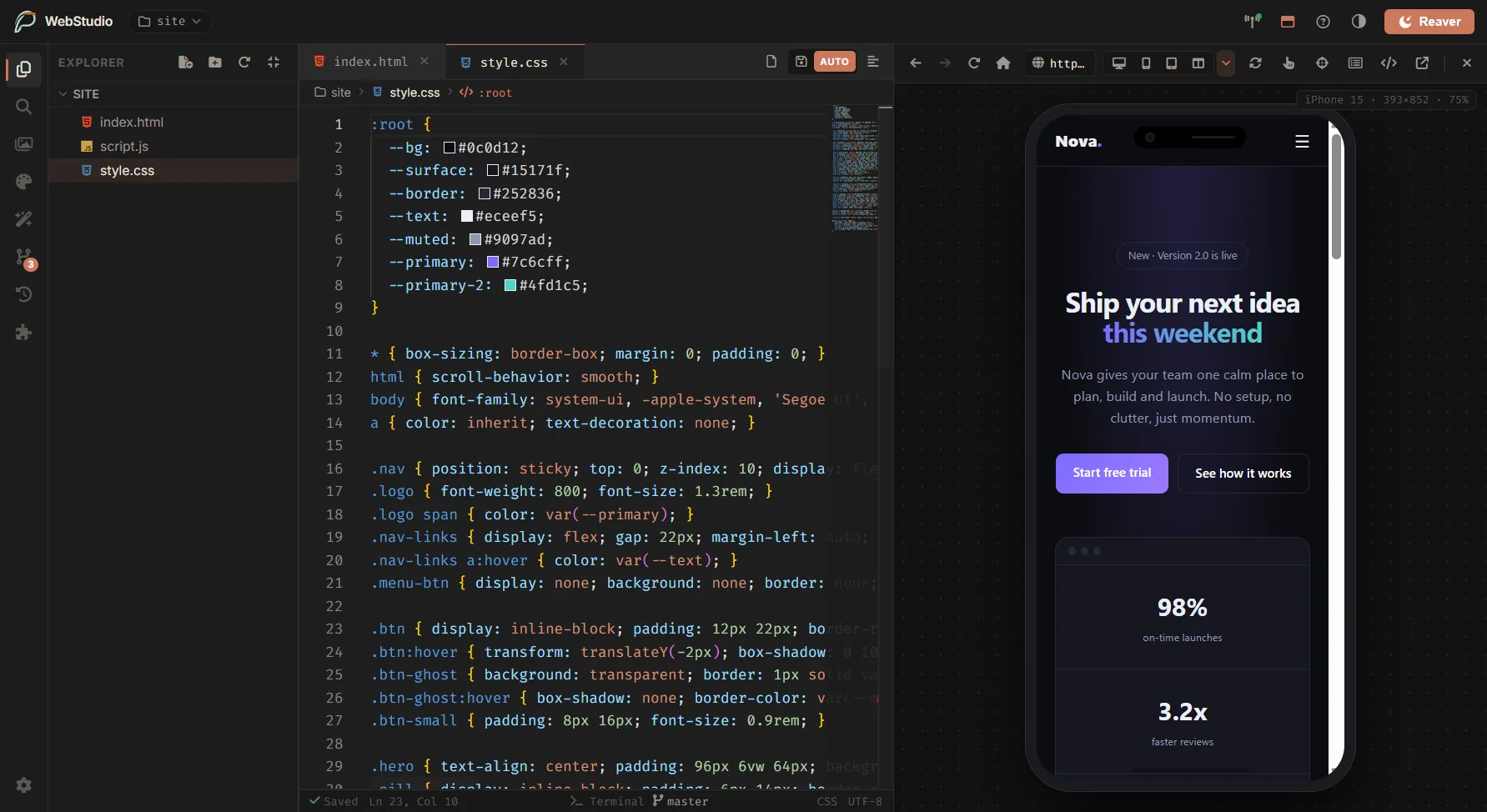
See it on a phone before your users do
Switch the preview to real device sizes, rotate it, or open a grid with phone, tablet and desktop side by side. Layout bugs have nowhere to hide.
- iPhone SE
- iPhone 15
- Pixel 8
- Galaxy S23
- iPad mini
- iPad Pro
- Laptop
- Desktop HD
- Custom size
Shortcuts you already know
VS Code muscle memory works here, and every shortcut can be remapped.
- Go to file Ctrl+P
- Search all files Ctrl+Shift+F
- Command palette Ctrl+Shift+P
- Ask Reaver Ctrl+L
- Lorem ipsum Ctrl+Shift+L
- AI filler text Ctrl+Alt+P
- Toggle preview Ctrl+Alt+V
- Run live server Ctrl+Alt+L
- Help F1
Your projects stay on your PC
WebStudio has no accounts and no servers of its own. Things only go online when a feature needs it, and you can see exactly which ones.
No sign-up, no tracking
Install it and open a folder. WebStudio doesn’t collect usage analytics or upload your projects anywhere.
You decide what the AI sees
When you use Reaver or the background code reviewer, the relevant code is sent straight from your PC to the AI provider you picked, under that provider’s terms. The reviewer can be switched off in Settings.
Works offline
Editing, the preview, Git and version history work without internet. AI features, update checks and public share links need a connection.
Locked-down preview
Sites in the preview can’t use your camera, microphone or location, and private files like .env are never served.
Open a folder. Start building.
Free for Windows and macOS. When a new version is out, an update button appears in the app (or turn on automatic updates in Settings).
The WebStudio AI, an offline helper for the app, is an optional extra: download it from inside WebStudio (the round AI button, about 2.5 GB, once). It understands and writes English only.
Windows may show a SmartScreen notice for new apps: choose “More info” → “Run anyway”.
Mac: open the downloaded file and drag WebStudio into Applications. The first time you open it, macOS says it can’t check the app for malware, because we don’t pay for Apple’s developer certificate. Click “Done”, then go to System Settings → Privacy & Security, scroll down and click “Open Anyway” next to WebStudio. You only do this once; updates install from inside the app. The button gets the Apple Silicon (M1 and newer) version. Intel Mac? Download this one instead.